Less word-by-word
busywork.
Transcribe, regroup, and style captions into short, karaoke-style phrases with a moving highlight. The best part? You can edit everything.
makethenextcut.
Caption grouping illustrationTHE CAPCUT DESKTOP SKILL V2.2.0
Most editors waste their time on captions and subtitles. Let an AI agent handle them for you so you can focus on the real work that creates value for your clients.
Lock in $49. The price goes up soon because updates keep adding more value.
Same experience. No extra software needed. Just AI and CapCut.
CapCut Desktop + Claude Code · macOS & Windows
“Make the caption highlight green.
Keep the rest of
my edit.”
 After reopening
 Real demo frames. Illustrative transition.
THE PART THAT WASTES YOUR TIME
Your agent already helps you build.
Let it help with the caption pass, too.
The
taste? That’s still yours.
Transcribe, regroup, and style captions into short, karaoke-style phrases with a moving highlight. The best part? You can edit everything.
Ask for a list of pauses before making cuts. Your agent can use the approved segments to rebuild the video track; you check the pacing and caption timing.
Silence-cut illustrationAdd your B-roll, titles, audio, and prepared overlays to the existing timeline. You can adjust them in CapCut instead of starting again in another editor.
SEE ONE SMALL EDIT BEFORE YOU BUY
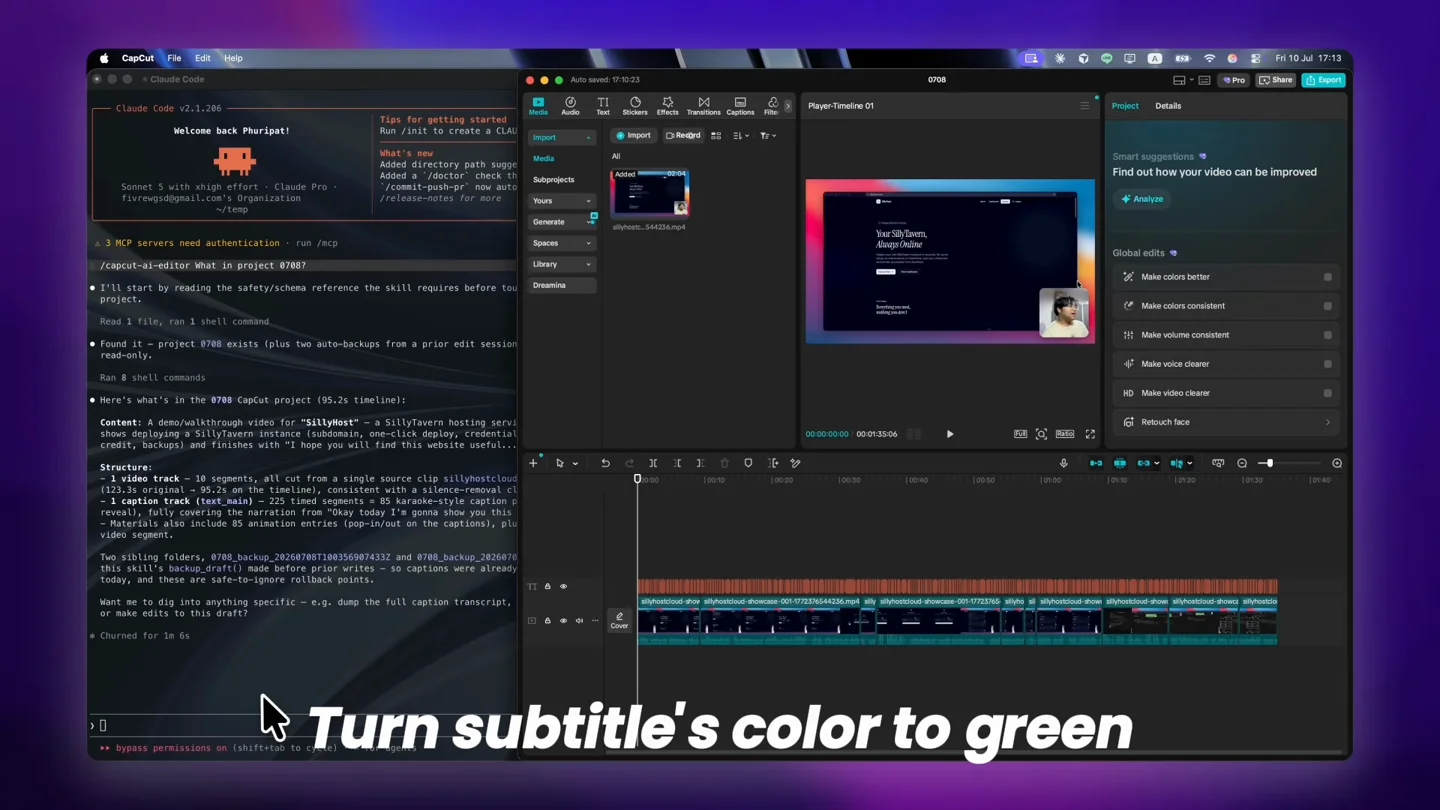
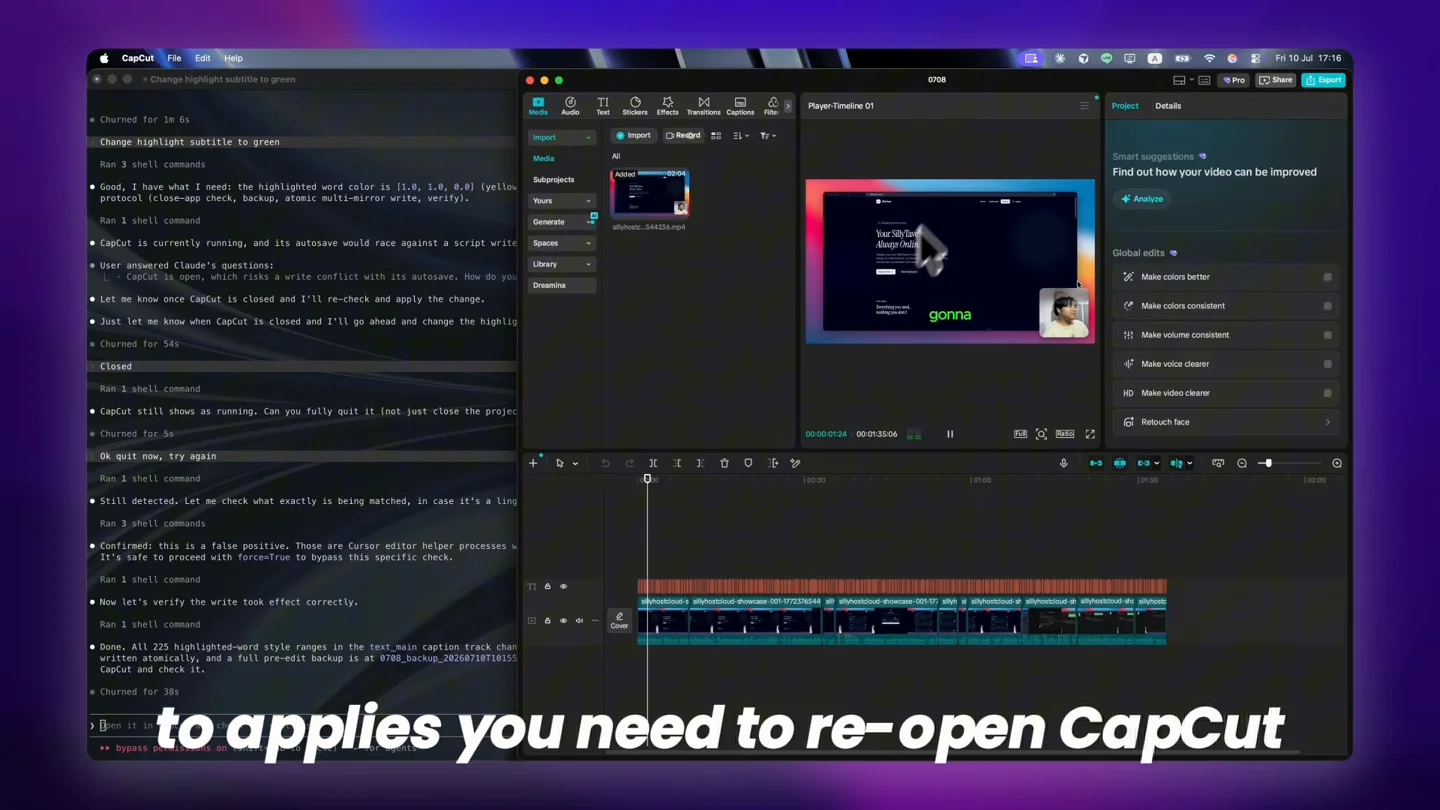
Watch a request to turn caption highlighting green, then see the reopened project. One specific change, not a claim that your whole video edits itself.
The recording shows Claude Code inspecting a local CapCut draft. The requested edit is to turn subtitle highlighting green. CapCut is closed for the edit, then reopened to show the updated caption styling. The presentation contains cuts and zooms; it is not an elapsed-time benchmark.
YOUR PROJECT COMES BACK TO YOU
You’re not stuck with an AI-rendered video. The changes live in your CapCut draft, where you can check the result and adjust the details before exporting. Tell the agent to make another pass, or do it yourself on your own timeline.
These frames come from the same caption-styling recording. Switch between the original and reopened project.
YOU DON’T NEED TO LEARN EVERY TOOL AT ONCE
Already using Claude Code or Codex and CapCut Desktop? Follow the installer guide. You’ll also need Python 3.10+ and FFmpeg. Email installation help is included.
Installation guideSave a short test project with captions and keep a separate backup. Fully quit CapCut, then ask Claude to inspect the project and confirm the caption track before editing.
“Change the caption highlight to green. Back up the project before applying the edit.”Reopen CapCut and check the highlight, wording, and timing. Adjust anything that needs your judgment, then export when you’re happy with the edit.
A backup before every writeA LOOK AT THE OUTPUT
A finished example with Thai karaoke captions and an overlay. The package supports script-aware caption grouping across languages.
This shows the finished output, not a before/after or a full automation recording. Always review transcript accuracy and timing.
IS THIS A FIT FOR YOUR NEXT EDIT?
For people who already use Claude Code and CapCut Desktop, and keep repeating the same caption work. Start with the quick-start guide and example prompts, with a clear first edit to try.
This is an installed skill, not a one-click video maker. You’ll set it up, ask for specific changes, and review the result. Check the requirements before buying.
Check your setup firstUSD · one payment
The current package. Yours to use.
Price increasing soon. Updates keep adding more value. Lock in $49 today.
No recurring fee for the skill.
Prefer calm captions? v2.2.0 adds white, outlined subtitles with one editable phrase per segment. See the first-edit guide.
Optional: add the separate /watch skill to review sampled video frames with your agent.
Applicable taxes shown at checkout. Agent access and optional services are separate. Future upgrades are not included as a promise.
7-day compatibility refund
If a supported setup still fails after
email help.
Read the terms →
The package includes a quick-start guide and example prompts. Begin with a short test project: ask Claude to inspect the captions, confirm the track, then request one change. You can repeat that process before trying broader edits. Installation help is included; custom editing work is not.
Yes. This is for people already using Claude Code and CapCut Desktop. You will run an installer and need Python 3.10+ and FFmpeg. Read the setup guide before purchasing; if the requirements are unfamiliar, ask us first. It is not a plugin you activate inside CapCut.
No. It helps with specific tasks in an existing draft, such as caption regrouping and styling. You still check spelling, timing, pacing, and placement, make creative decisions, and export from CapCut. Start with a small edit rather than asking it to finish an entire video.
No. It edits an existing local CapCut draft. You prepare the project, close CapCut while the agent works, then reopen it to check and finish the edit. Exporting still happens in CapCut.
This version is for CapCut Desktop on macOS and Windows. It needs access to local draft files. It does not work in the mobile or web app.
You need your own access to Claude Code or another compatible agent. That usage is separate. Local Whisper transcription is included without a paid transcription API; optional ElevenLabs or Gemini usage costs extra. Your normal CapCut plan and asset requirements still apply.
Not for long. We are raising it soon because updates keep adding more value as the skill grows. Buy now to lock in $49. The purchase covers the current package.
Email us with your order reference, software versions, and the error you see. If setup still fails on a documented supported configuration after email troubleshooting, request a compatibility refund within 7 days of purchase.
Yes. The license covers your own editing, including paid client projects. One license is for one person. You cannot redistribute or resell the skill. The purchase covers the current package; future upgrades are not promised.
The skill works with local CapCut files and offers local transcription. Your agent provider may process prompts and context, and optional cloud transcription sends media to that service. Local editing does not mean the entire workflow is offline.